Trivia, bingo and game shows for senior living communities
On the TV you already have. Hosted by a friendly voice, or by your activity director. Residents play from a phone or a large-print card.
- Ten games
- More than six thousand trivia questions
- Any TV with a browser
- Nothing to install
- No card to start
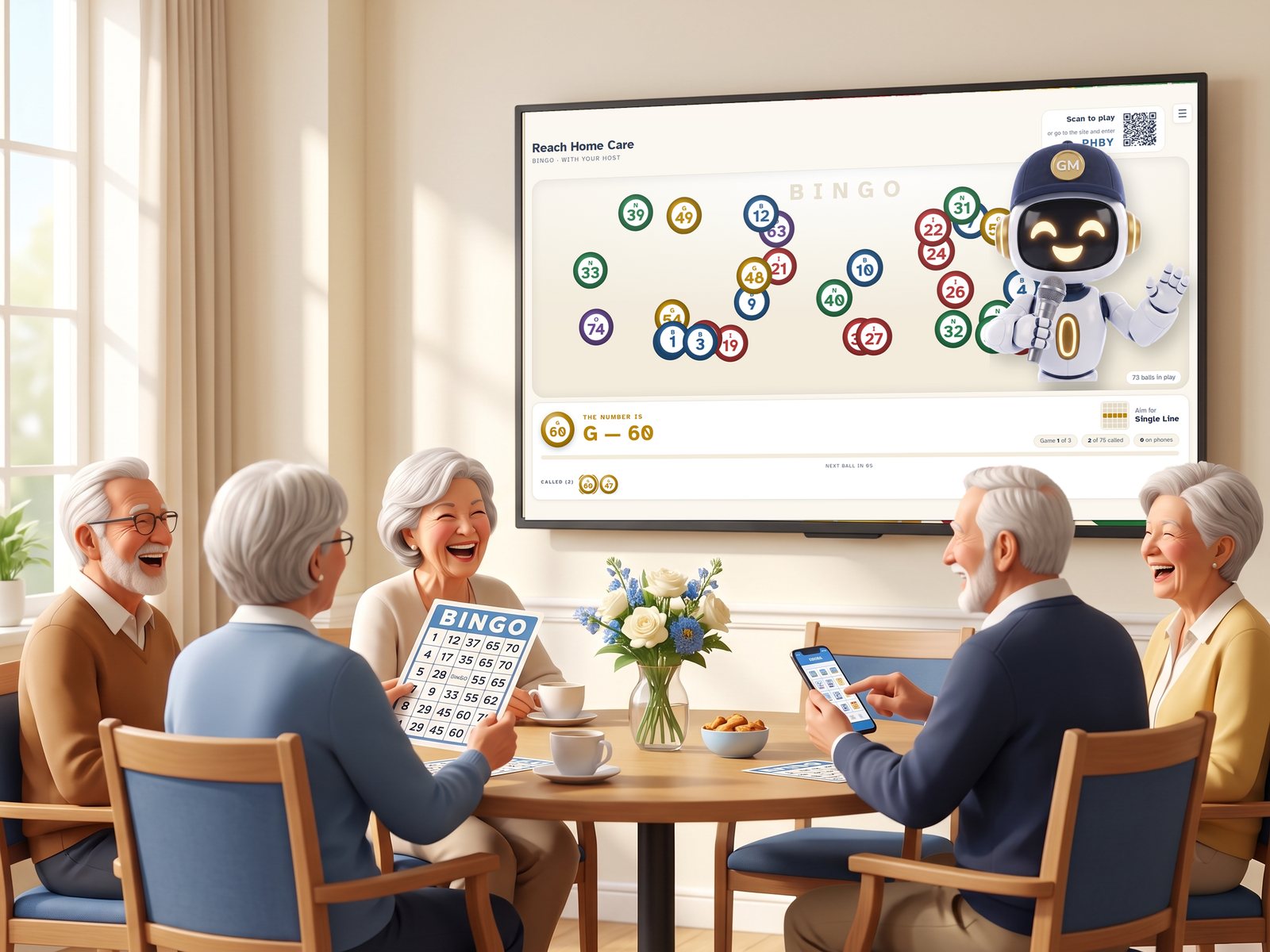
Made for the common room
Group activities that an activity director can run every week without a cart of supplies, a caller's voice, or a room full of phones.
🏡 Assisted living
A bingo afternoon and a trivia hour on the calendar, run from the lobby TV. The host talks; the director joins in.
🌳 Independent living
Team trivia with tables and a scoreboard, poker night with play money, and a lounge game that runs all day.
🧩 Memory care
A relaxed bingo mode that marks the cards, questions read twice at a gentle pace, and no wrong answers on the screen until the reveal.
🏥 Skilled nursing and rehab
Short games residents can join from a chair or a bed, on a phone or on paper, with nothing to set up in the room.
☀️ Adult day programs
A daily spin for the day's treat, a birthday wheel, and trivia by category so every group finds its subject.
🎉 Senior centers and clubs
A weekly schedule the TV counts down to, so the room fills up before the first number is called.
Ten games, one screen
Every game is included. Bingo, Team Trivia, Sketch and Poker can be AI hosted or self hosted; the rest start with one tap.
🎱 Bingo
Classic 75-ball bingo with a warm caller and the classic calls. Residents daub on a phone or a large-print card, and every win is verified.
About Bingo🧠 Team Trivia
A game-show hour with rounds and tables. More than six thousand questions across geography, music, movies, history and more, with answers revealed at the end of each round.
About Team Trivia📺 Lounge Trivia
Always on, for the common room. A question every minute or so with the answer after the countdown, and a rolling leaderboard anyone can join.
About Lounge Trivia♠️ Poker
Play-money Texas Hold'em dealt on the big screen, with seats from phones and a kindly clock.
About Poker🎨 Sketch
The TV draws a picture one line at a time and the room guesses. Type it on a phone or call it out; the first to get it wins, and sooner scores more.
About Sketch🎡 Daily Spin and Birthday Wheel
A wheel of treats and small privileges the director chooses, and a special spin for the birthday guest.
About the wheels🎟️ Scratch & Win, Tic Tac Toe, High or Low
Quick games for a phone and the TV: a scratch card with prizes the community sets, a board for two, and a card to call higher or lower.
About the quick gamesTwo ways to host every game
🔊 AI hosted
Press one button. A friendly voice welcomes the room, calls the numbers, reads every question twice, celebrates the answers and keeps the pace gentle. The activity director can sit with the residents.
📱 Self hosted
Your activity director runs the room from a phone with a few big buttons: next, pause, new game, end. The TV supplies the cards, the questions and the scores, and the director supplies the personality.
How it works
Open the TV link
Sign in, name your community, and open its TV link on any television with a web browser. Bookmark it. That screen is now the games menu.
Residents join, or don't
Anyone with a phone types the code on the TV. Everyone else gets a large-print card or an answer sheet, printed from the dashboard beforehand.
Press play, or let the schedule
Tap a game on the TV, or set a weekly schedule and the TV counts down to it and starts on time. Between games it shows your bulletin board.
Built for older eyes and ears
- Large type in Atkinson Hyperlegible, a typeface designed for low-vision readers
- Warm, high-contrast colors chosen for a bright common room in the afternoon
- Slow pacing you can slow further; every question read twice, every number spoken and shown
- A relaxed bingo mode that shows the called numbers and marks cards automatically
- Phones are optional; paper always works
Built for activity directors
- A weekly schedule the TV counts down to and starts on its own
- A bulletin board on the TV between games: birthdays, menus, photos, the week's events
- Settings for each game: bingo speed and prizes, trivia categories and difficulty, poker blinds
- A short email every Monday with last week's games, hours of play and questions answered
- No resident accounts and no resident data: first names only
Questions activity directors ask
Do residents need a smartphone to play?
No. Residents who have a phone can join with the code on the TV. Everyone else plays on paper: large-print bingo cards and trivia answer sheets print from the dashboard before the game or from the director's remote during it, and the activity director confirms a paper bingo by typing the card's serial number.
What equipment do we need?
A TV with a web browser: a smart TV, or any TV with a laptop, streaming stick or small computer attached. There is nothing to install, no app store and no hardware to buy.
Who hosts the games?
Either one. AI hosted means a friendly voice calls the numbers, reads every question twice and paces the room. Self hosted means your activity director runs the game from a phone with a few big buttons while the TV supplies the content.
Is it designed for low vision and hearing loss?
Yes. Large type in a font designed for low-vision readers, high-contrast colors chosen for daytime common rooms, slow pacing, and everything both spoken aloud and shown on the screen.
How much does it cost?
$89 per community per month, or $890 a year. Every game and both hosting modes are included, with unlimited residents. The first 30 days are free and no card is needed to start. See pricing.
Does it collect resident information?
No. Residents join with a first name and nothing else. There are no accounts, passwords or profiles for residents. Read the privacy policy.
Can we adjust the games for our residents?
Yes. Each game has its own settings on the dashboard: bingo's calling speed, breaks and a relaxed mode that marks cards automatically; trivia's categories, difficulty, rounds and timing; poker's blinds and pace.
Can several buildings share one account?
Yes. An organization can add as many communities as it runs. Each has its own TV link, weekly schedule, bulletin board and game settings.
Put a game on the TV this week
Free for 30 days. No card, no install, no training session. Sign in, open the TV link, press play.
Start free